Your cart is currently empty.
Go to cart
Welcome back
Log in to your account
New here?
Create account
←
New accountCreate your account
Your selection
Cart
Astrx Synth
plugin overview & manual
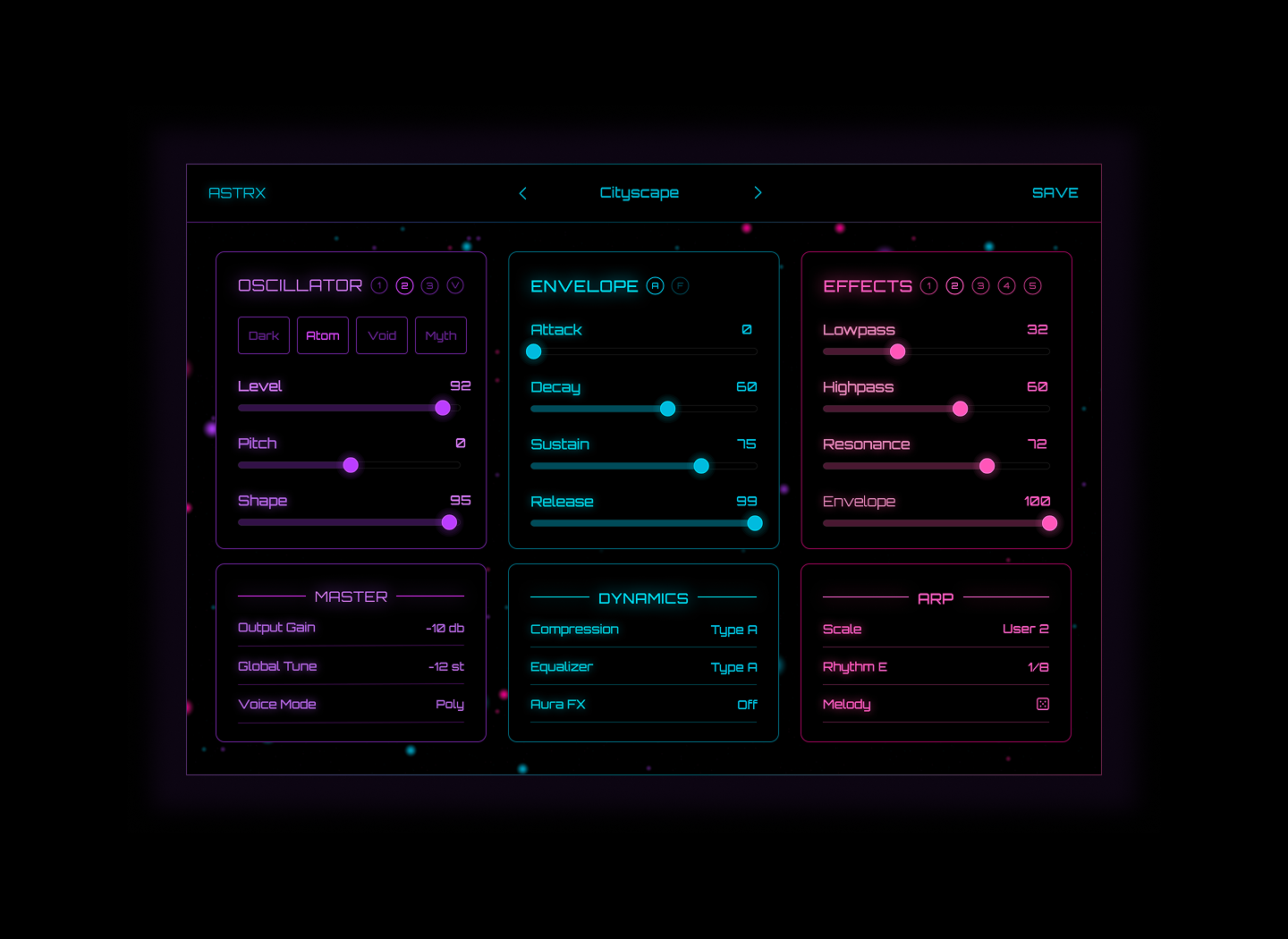
getting started
installation
- Download the Astrx Synth installers from your account.
- Run the installers and follow the on-screen steps.
- Open your DAW and load Astrx Synth as a plugin on your desired track.
system requirements
- Works on both Mac and Windows.
- Delivered in VST and AU formats.
- Compatible with all major DAWs, except Pro Tools.
activation & presets
activating astrx
- Go to your account and open the Licenses tab.
- Copy your license key into Astrx Synth.
- Enter the email address connected to your account.
- Click Activate. Once activated, internet is no longer needed.
preset system
Click Save, name your preset when prompted, and it will appear in the User category.
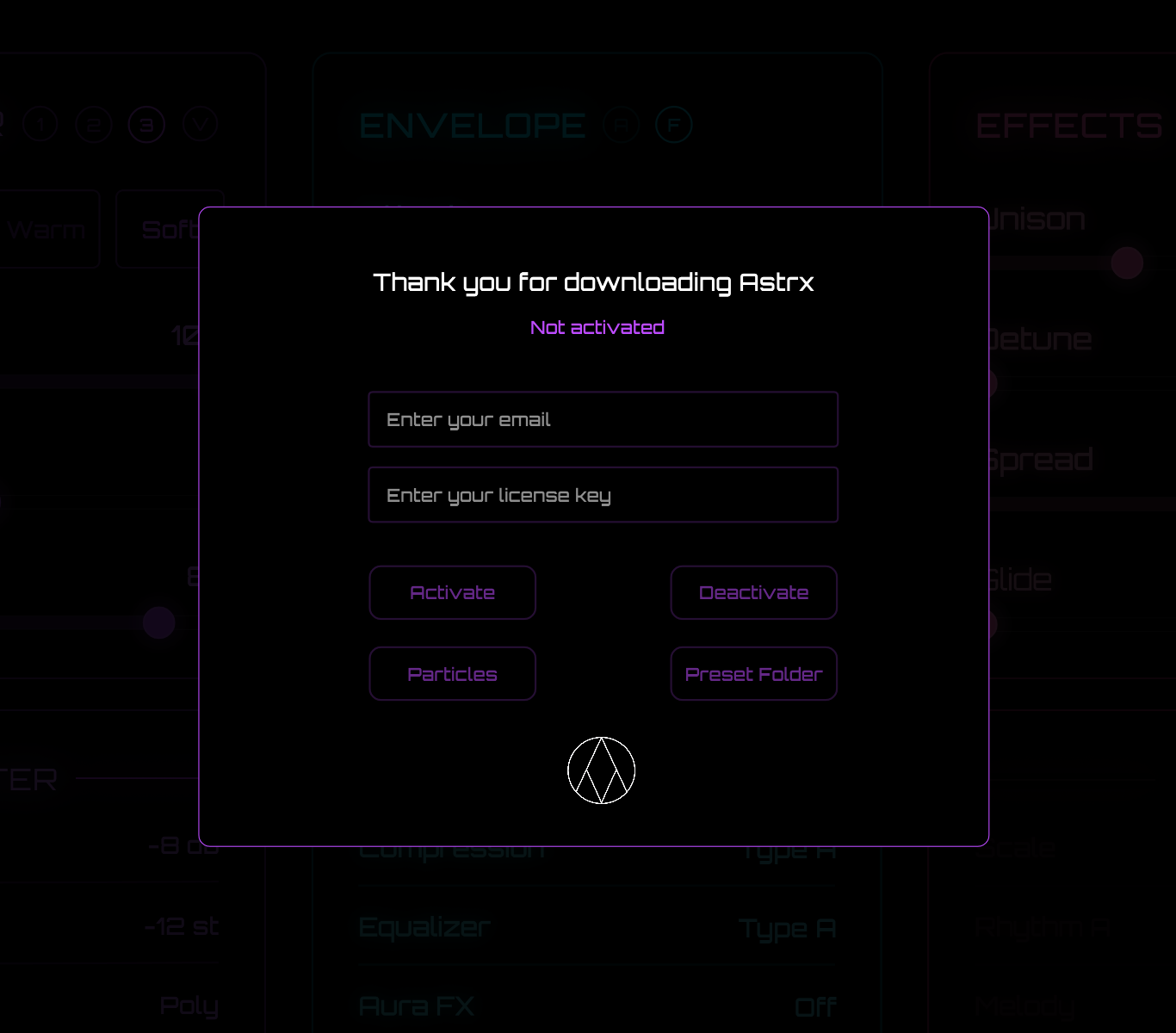
main menu
- Enter your account email and license key to activate Astrx Synth.
- Use the Activate and Deactivate buttons to manage your license.
- Turn on Particles for an animated background graphics effect.
- For future preset packs, click Preset Folder and drop the presets into that folder.
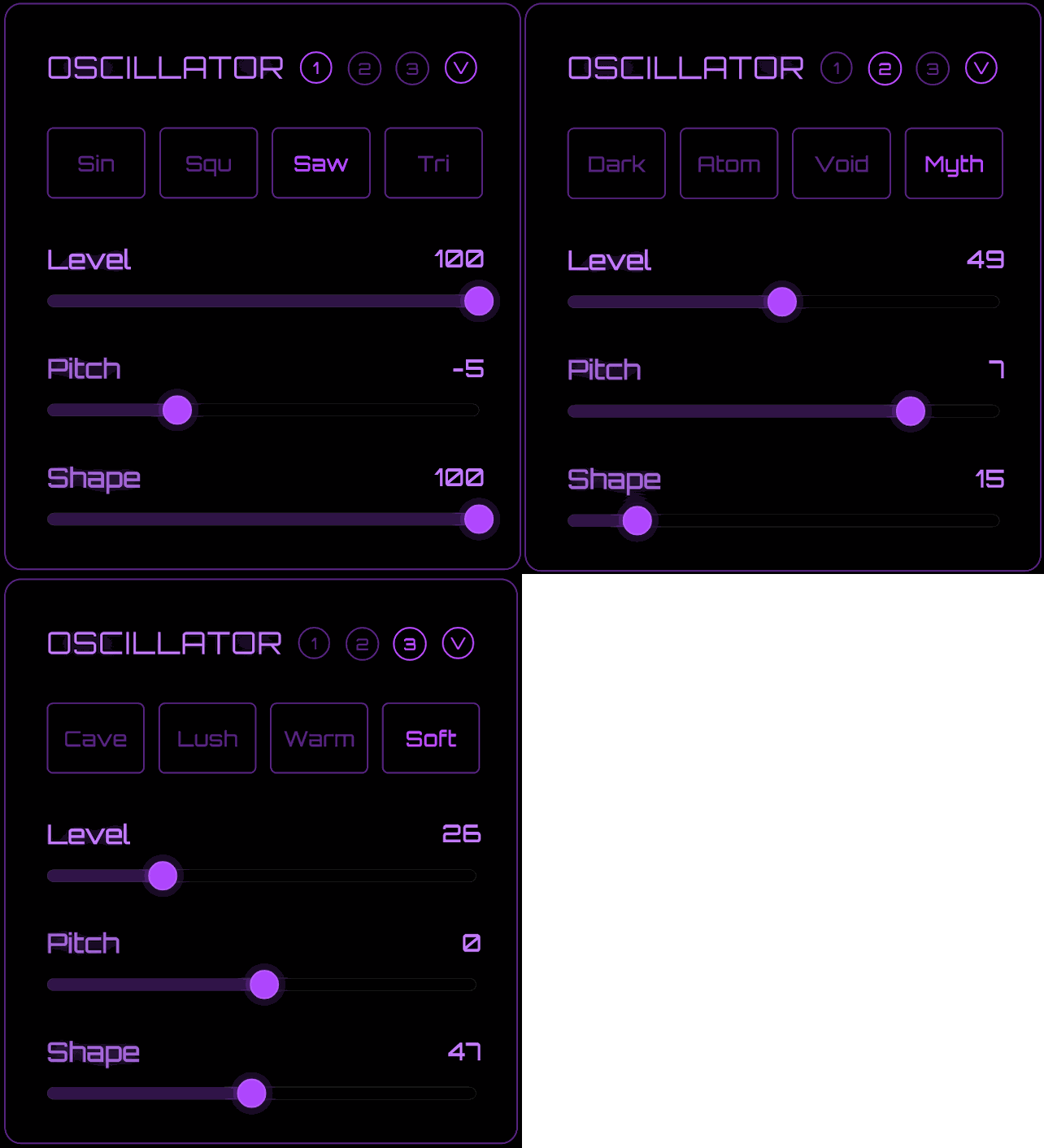
oscillator section
Astrx Synth includes 3 oscillators. Each oscillator has 4 unique wavetables, plus level, pitch, and shape controls. The Shape knob bends the wavetable for extra movement, and each oscillator also includes a vibrato button.
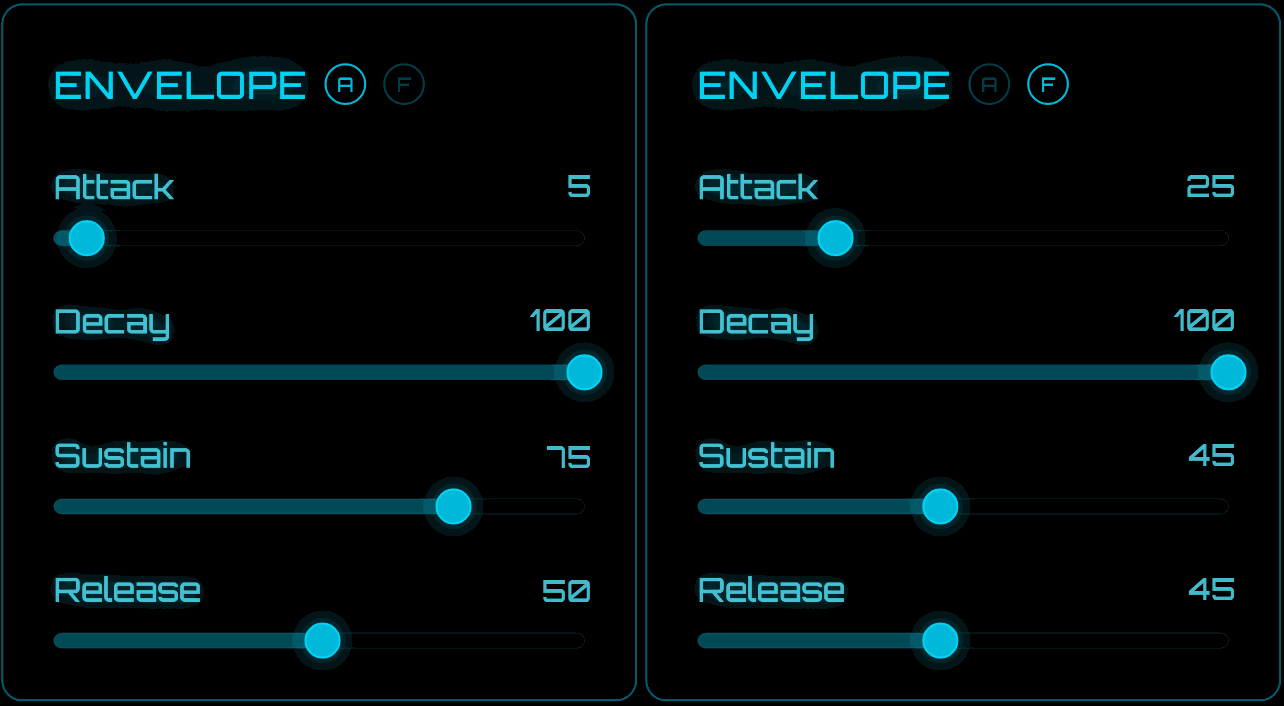
envelope section
Astrx Synth has 2 envelopes: one controls the amp, and the other controls the cutoff movement of the lowpass filter.
effects section
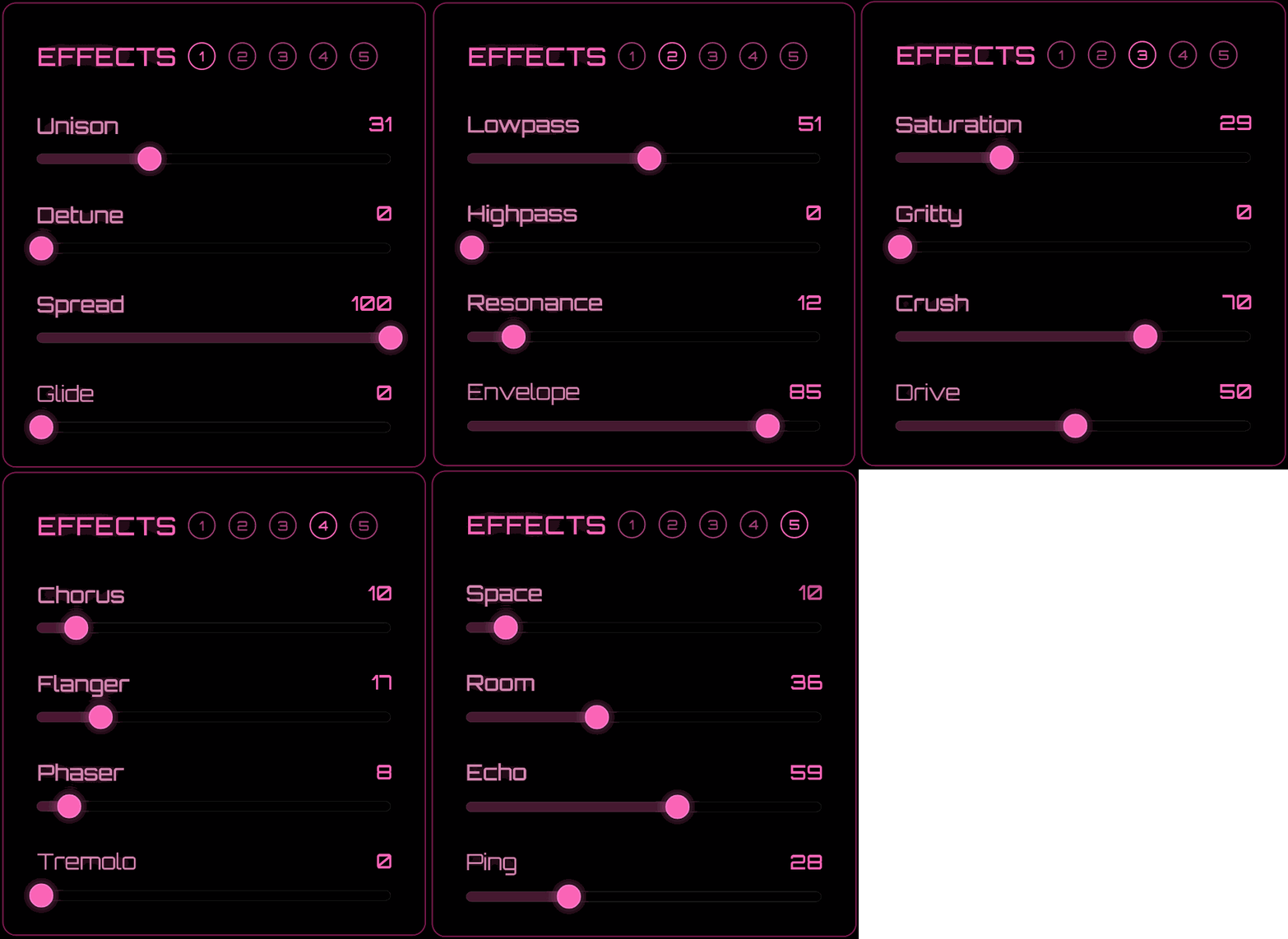
The Astrx FX section helps define the overall sound of the synth. It is split into 5 sections, with 4 controls in each section.
1. voice controls
Unison and Detune work together to thicken the sound, while Spread widens it. Glide adds classic pitch bend effect and only works in mono mode.
2. filter
Lowpass controls the main filter cutoff and is connected to the filter envelope. Highpass removes unwanted low end, Resonance adds emphasis, and Envelope sets how much filter envelope is applied.
3. distortion
Saturation, Gritty, Crush, and Drive are 4 different distortion shapes. Use them lightly or stack them together for thicker basses, leads, and synth tones.
4. movement
Chorus adds clean width and richness, while Flanger, Phaser, and Tremolo create motion and rhythmic movement.
5. space & delays
Space gives you a dark, huge, wide reverb tail. Room is a cleaner centered reverb. Echo is a mono delay, and Ping is a ping-pong delay. Both delays use fixed rates for fast sound design.
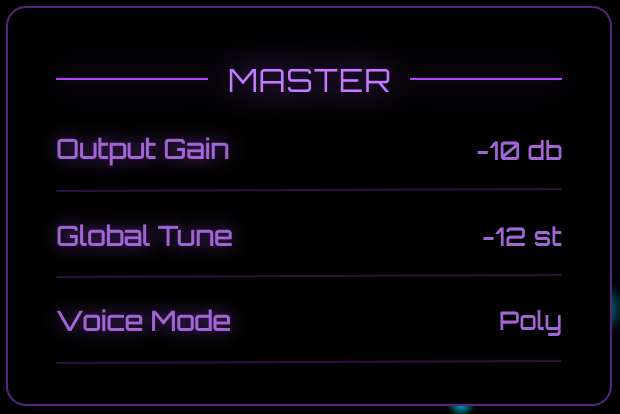
master section
- Output controls the final volume of the plugin.
- Global Tune lets you pitch the sound up or down by 24 semitones.
- Voice Mode lets you choose between poly and mono playback.
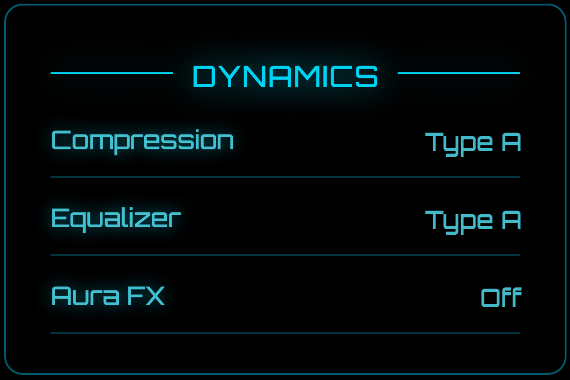
dynamics & aura fx
compression & eq
The Dynamics section helps Astrx Synth sound finished right away. Compression and EQ each include 5 preset modes designed to clean up and glue the sound together at the end of the effects chain.
aura fx
Aura FX lets you choose 1 built-in effect from 20 sound design options. These effects are fixed and uneditable, making them quick to use when you want a different texture or motion.
view aura fx list
- Stutter - Chops the sound into a rhythmic stutter effect.
- Choppy - Adds a tighter gated chop to the sound.
- Sidechain - Creates a pumping sidechain-style movement.
- Battery - A lo-fi effect with lowpass filtering and distortion.
- Lo-Fi - Adds noise and a slight detuned feel.
- Bits - Adds digital distortion and bit-style grit.
- Broken - Adds a resonant broken-synth character on top of the sound.
- Widener - Expands the stereo image.
- Sweep - Adds a repeating filter sweep.
- Lowpass - Applies a simple lowpass filter.
- Distort - Adds a brighter distortion tone.
- Cabinet - Adds a speaker-style cabinet color.
- Roswell - A saturation and chorus hybrid.
- Apollo - A saturation and chorus hybrid with a different tone.
- Push - Adds saturated width and extra movement.
- Nebula - A wider saturation and chorus texture.
- Prism - Adds glossy saturation and chorus color.
- Vortex - A subtler filter movement effect.
- Lowpass 2 - A deeper, richer lowpass effect.
- Infinite - Adds delay with high feedback.
arp section
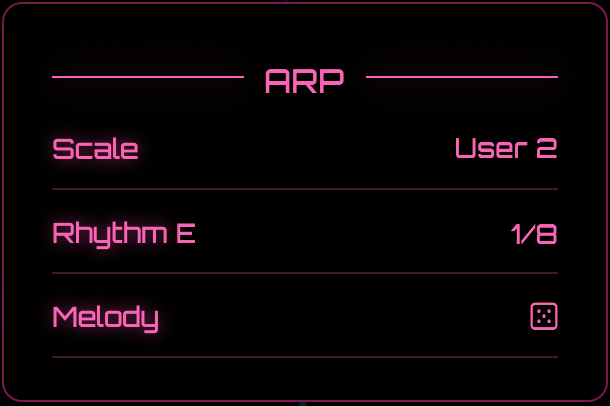
The Arp section is made for quickly turning a sound into an arp pattern or chord-based phrase.
scale modes
Minor
Major
Penta
Bright
Dark
Minor 2
Major 2
User
User 2
rhythm, rate & melody
- Rhythm includes 26 patterns from A to Z, each with different velocity movement.
- Rate ranges from 1 bar to 1/64, with triplet rates included.
- Click the dice icon in the melody area to generate a new arp melody.
how to use it
Choose a scale, choose a rhythm, set your rate, then click the dice icon to generate a new arp pattern. The built-in scales are variations of minor and major. To use your own chords or notes, select one of the User scale modes and generate again.
smart coupon
accept offer