

web analytics

How To Install Vital Presets

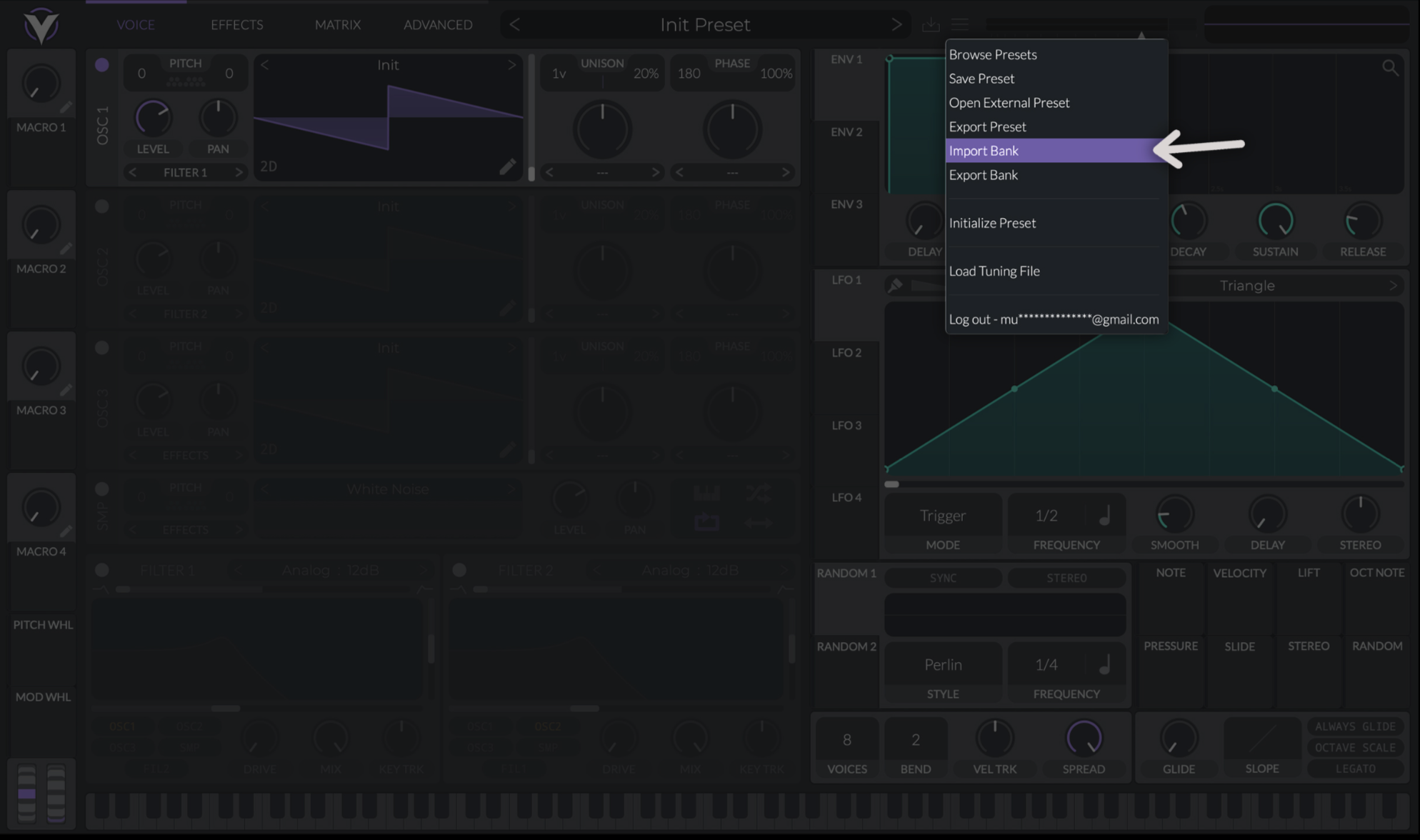
How To Install Vital Bank

  1. Open Vital
  2. Click on Menu
  3. Select “Import Bank”
  4. Choose your “.vitalbank” file
  5. Reload Vital

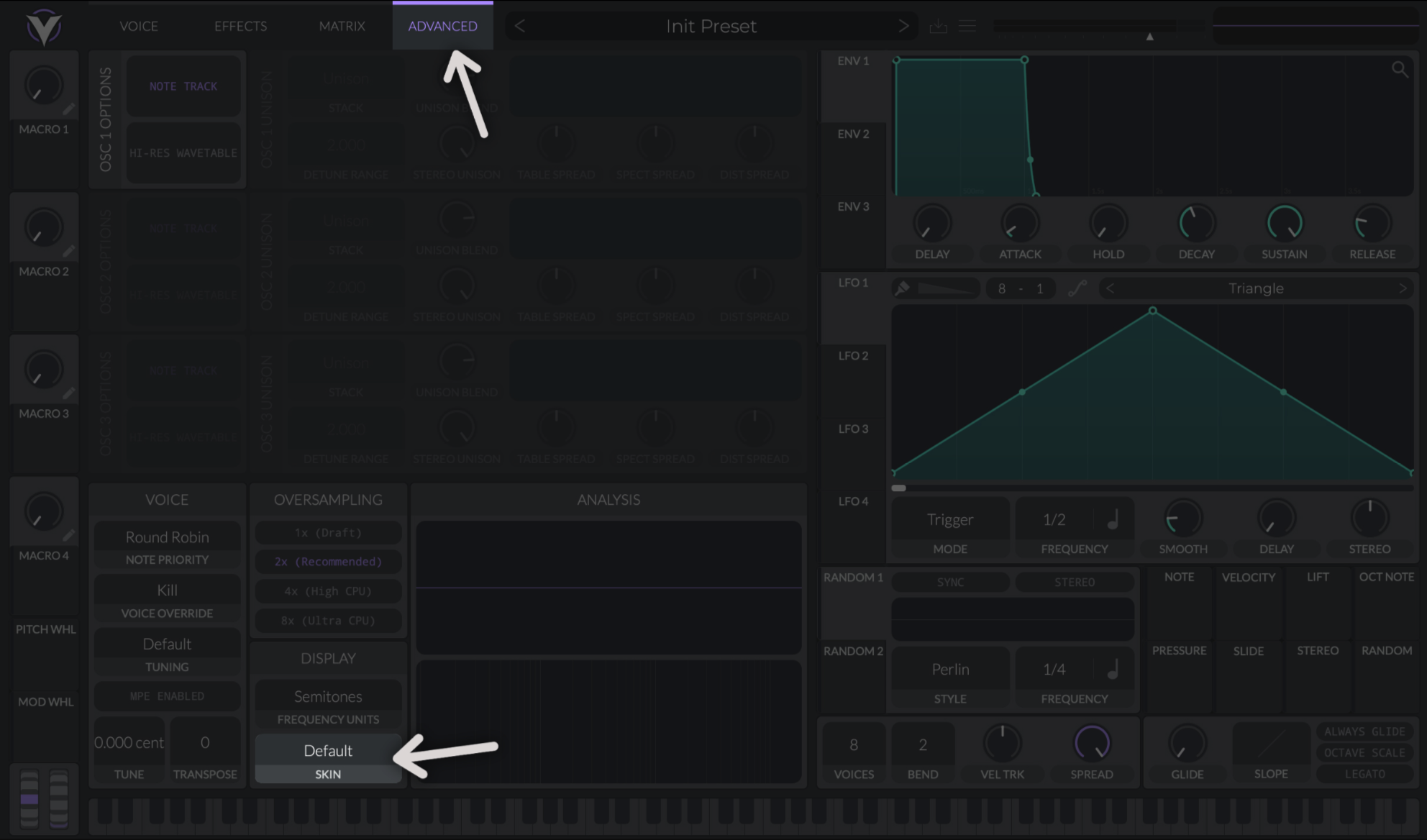
How To Install Vital Skin

  1. Open Vital
  2. Click on Advanced
  3. Go down and click on “Default Skin”
  4. Then click on “Load Custom Skin…”
  5. Choose your “.vitaltheme” or “.vitalskin” file

Share this with your producer friends!

Check Out Our New Vital Preset Pack

🔥 wait. upgrade & save.

bundle name

don't pay $ for just one pack. grab the full collection and get each pack for only $ per pack.

single pack name $
full bundle ( packs) $$
your new cost only $ each

Download

Please enter your name and email to continue downloading.

Download

Please enter your name and email to continue downloading.

Houston, we have a problem!

Features may be limited on mobile. For a better experience, we recommend you visit our site on your desktop or laptop.Â